Experience seamless productivity with the all-in-one Microsoft 365 Copilot app. From scanning documents to creating content, accessing Word, Excel, PowerPoint, and PDFs has never been easier. The app features Copilot for work, a chat experience that simplifies communication and boosts productivity. Collaborate with Copilot, your AI assistant, to ask questions, draft content, and more. Utilize tools like Designer for quick photo editing, Presenter Coach for perfecting presentations, and PDF capabilities for easy file conversions. Connect to cloud storage, unlock premium features with a Microsoft 365 subscription, and enjoy the convenience of managing your work and personal tasks all in one app.
Features of Microsoft 365 Copilot:
❤ All-in-One Productivity: Microsoft 365 Copilot app offers Word, Excel, PowerPoint, and PDF capabilities all in one place, making it convenient for users to access and create content on the go.
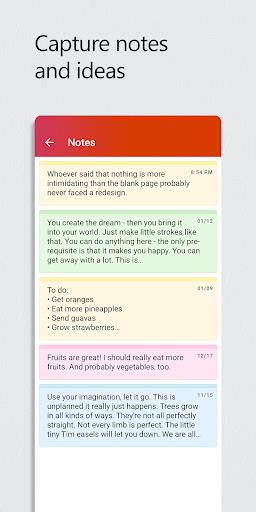
❤ Collaboration with AI Assistant: Users can collaborate with Copilot, their AI assistant, to boost productivity by asking questions, drafting content, and staying organized.
❤ Premium Features: Enjoy premium features like Designer for creating designs and editing photos with the power of AI, available with a Microsoft 365 Personal and Family subscription.
❤ Cloud Integration: Connect your Microsoft Account to save and access documents on OneDrive or SharePoint, or connect to a third-party cloud storage provider for convenience.
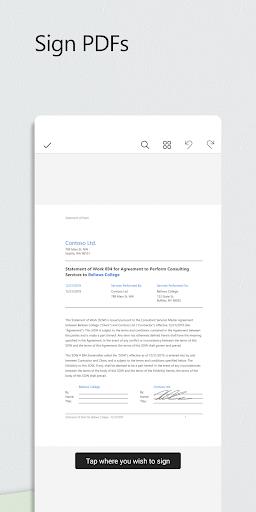
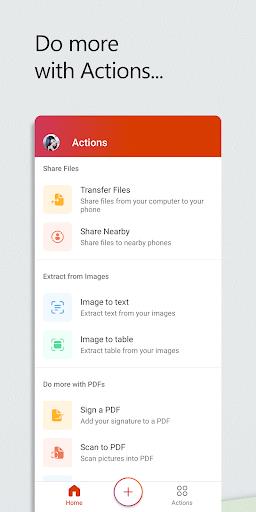
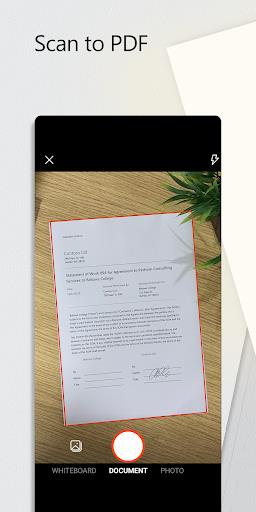
❤ PDF Tools: Scan, convert, edit, and sign PDF files directly on your device, making it easy to work with documents while on the go.
❤ Subscription & Privacy: Stay informed about monthly subscriptions and manage your privacy settings easily within the app.
FAQs:
❤ What is Copilot Chat and who can use it?
- Copilot Chat is a simplified chat experience available for Microsoft 365 Enterprise, Academic, SMB, Personal, and Family subscribers with a work, education, or personal account.
❤ Are premium features like Designer available for all users?
- Designer is only available for personal Microsoft accounts with a Microsoft 365 Personal and Family subscription.
❤ Can I access and save documents from third-party cloud storage providers?
- Yes, you can connect to a third-party cloud storage provider in addition to using a Microsoft Account for saving and accessing documents.
Conclusion:
With the Microsoft 365 Copilot app, users can enhance their productivity, collaborate seamlessly with AI assistance, access premium features like Designer, and work with PDF files efficiently. The all-in-one solution for managing documents, creating content, and staying organized, along with cloud integration and privacy controls, makes this app a valuable tool for both work and personal use. Download now to experience the convenience and power of Microsoft 365 Copilot.